What do you do if you have an app that needs to create and manage its own groups? You can grant the app the Graph API permission Group.ReadWrite.All, but that would mean it can manage any group in the tenant and that is a security concern as it gives the app too much power.
Instead, you can grant the app’s service principal (SP) the Groups Administrator role scoped to an Administrative Unit (AU). This way the app can create groups and add/remove users to it but only within the AU. The SP can not manage groups that are outside the AU.
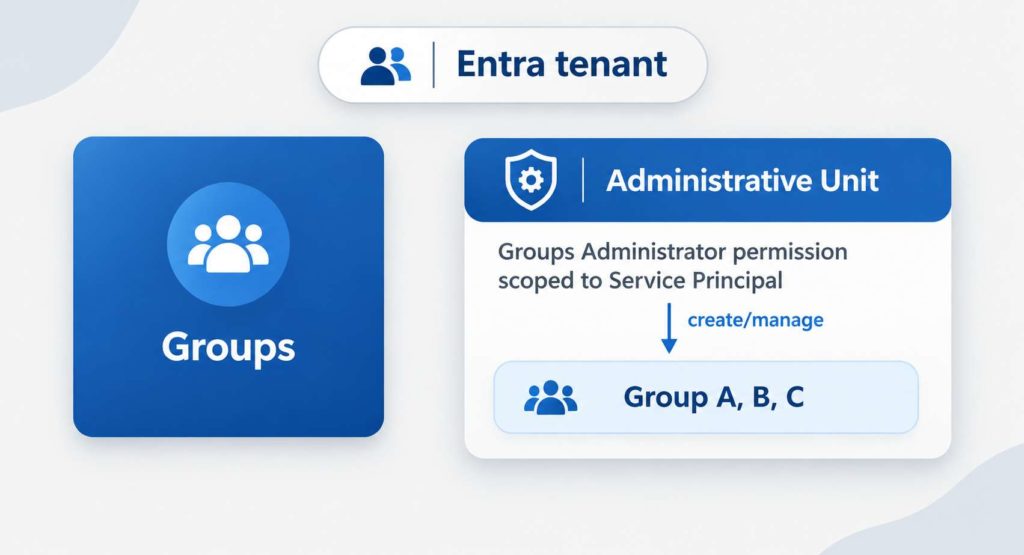
Creating the Administrative Unit
In the Entra portal, goto Roles & admins, then Admin units and click + Add and a create a new AU like this.

Click into the new AU and select Roles and administrators, find role Groups Administrator and click on it.
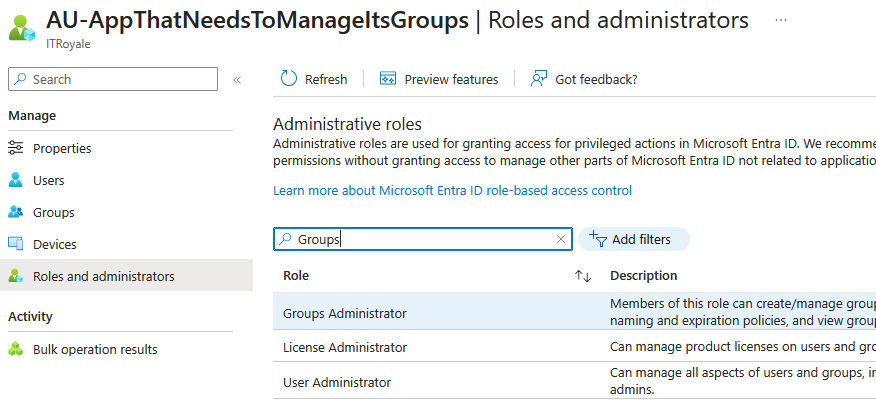
Next, click + Add assignments and find your app that needs to manage its own groups
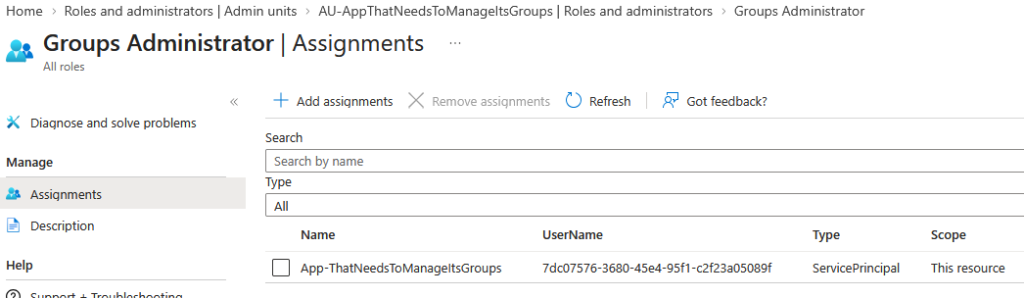
Now, your app’s service principal have the scoped permission to create and manage groups within the AU.
Create and manage groups via the Service Principals scoped permission
First, authenticate the SP using client credentials
 $auth = Invoke-RestMethod -Method Post -Uri "https://login.microsoftonline.com/$tenantId/oauth2/v2.0/token" `
    -ContentType "application/x-www-form-urlencoded" `
    -Body @{ grant_type="client_credentials"; client_id=$ClientId; client_secret=$ClientSecret; scope="https://graph.microsoft.com/.default" }

$authHeader =@{ 'Content-Type'='application/json'; 'Authorization'='Bearer ' + $auth.access_token }
Prove the SP doesn’t have too much power
Next, to prove that the SP doesn’t have too much power, try to create the group outside of the AU. This attempt fails with Authorization_RequestDenied and Insufficient privileges as it should.
$groupName = "App-GroupOne"
$bodyG = @"
{
  "displayName": "$groupName",
  "mailNickname": "$groupName",
  "mailEnabled": false,
  "securityEnabled": true,
  "description": "SP with AU scoped permission creating a new group via Graph API",
  "@odata.type": "#microsoft.graph.group",
  "owners@odata.bind": ["https://graph.microsoft.com/v1.0/directoryObjects/$spObjectId"]
}
"@

Create the group within the AU
To create a group using the SP’s scoped permission to the AU, we need to call the AU’s Graph endpoint https://graph.microsoft.com/v1.0/directory/administrativeUnits/$auId/members and not the standard /groups endpoint. We pass the same request body.
$group = Invoke-RestMethod -Headers $authHeader -Method "POST" -Uri "https://graph.microsoft.com/v1.0/directory/administrativeUnits/$auId/members" -Body $bodyGManage the new group
Once the new group is created, the SP can use the standard /groups endpoint to add/remove members. In the below example we add the SP as a member, but this could be a user’s UPN.
$bodyGM = @"
{"@odata.id":"https://graph.microsoft.com/v1.0/directoryObjects/$spObjectId"}
"@
Invoke-RestMethod -Headers $authHeader -Method "POST" -Uri "https://graph.microsoft.com/v1.0/groups/$($group.id)/members/`$ref" -Body $bodyGM
Get details of the group
Invoke-RestMethod -Headers $authHeader -Method "GET" -Uri "https://graph.microsoft.com/v1.0/groups/$($group.id)?`$select=id,displayName,description
Where is the group visible?
If you create a group within an AU, where is it visible in the Entra portal? It shows up in two places. First, it is visible amongst the other groups and there is no obvious difference.
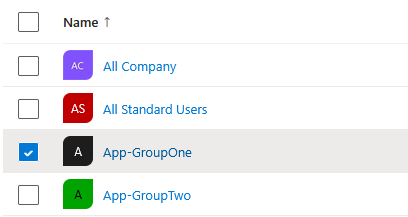
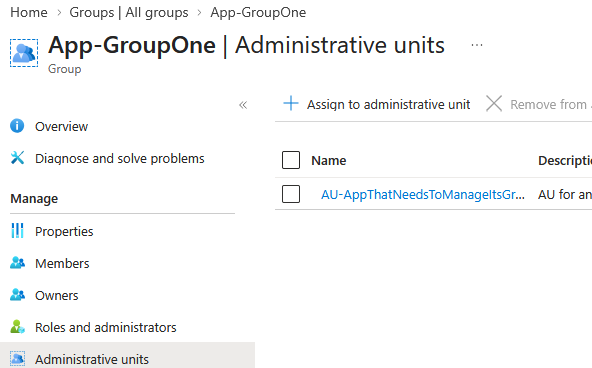
If you view the group details and select the Administrative units menu option, you see that it exists within an AU.
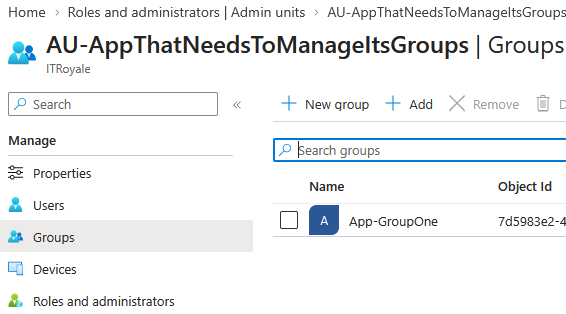
Reversely, if you view the AU itself, you will see the group listed as an AU member.
The bad news
If you think this looks good, there is one downside. The app will need the Directory.Read.All application permission as documented by Microsoft (link here). So you trade not granting the app Group.ReadWrite.All for instead granting it Directory.Read.All. If you don’t grant the app Directory.Read.All, the creation of group and managing it will fail as the SP hasn’t the ability to verify member objects.

There is another option here and that is to create a custom role that works like Directory.Reader.All and scope that role to the SP within the AU. This More about that in a later post.
The group owner solution
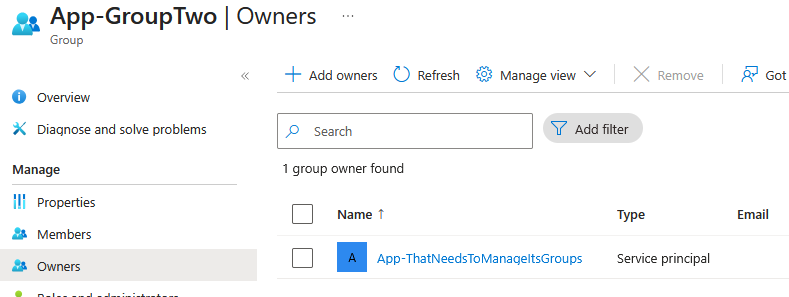
If you are not too keen on granting the SP Directory.Read.All permission, there is another possible solution. If the groups can be pre-created, ie not dynamically created within the app, you can make the SP an owner of the group(s). Group owners can manage group membership without having Group.ReadWrite.All.
$group2 = Invoke-RestMethod -Headers $authHeader -Method "GET" -Uri "https://graph.microsoft.com/v1.0/groups?`$filter=DisplayName eq 'App-GroupTwo'"

Invoke-RestMethod -Headers $authHeader -Method "POST" -Uri "https://graph.microsoft.com/v1.0/groups/$($group2.value[0].id)/members/`$ref" -Body $bodyGM